
QI Business Accelerator
From cold lead to recurring customer
One workspace for sales, marketing, customer context, workflows and AI. It supports the whole journey from first enquiry to renewal. It does not replace every system you already use.
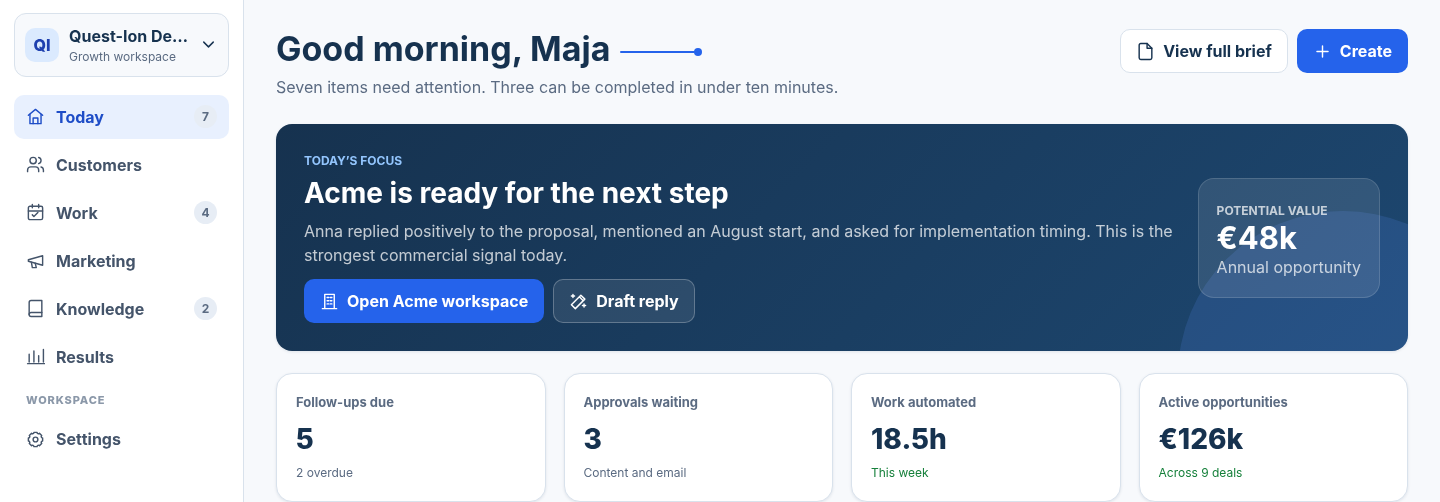
Today in QI Business Accelerator, with example data. Select the picture to enlarge it.
Every part feeds the next
Marketing activity creates demand, sales turns it into opportunities, workflows keep follow-up consistent, and the results show what to change.
- MarketingCreates qualified demand
- SalesTurns it into opportunities
- AutomationKeeps follow-up consistent
- IntelligenceHighlights what needs attention
- ResultsShow what works
Results feed back into Marketing, so the next round starts from what worked.
Who it is for
Businesses whose selling is spread across tools and people
QI fits when the work between a first enquiry and a renewal keeps falling between inboxes, spreadsheets and individual memory.
A good fit if
- Follow-up and customer work recur and need a repeatable process.
- Customer context is spread across different tools.
- You want automation that prepares work for review rather than acting unseen.
- You sell to companies, to individual consumers, or to both.
QI works alongside the systems you keep. Check the integrations below, or ask us whether your setup fits.
A worked example
One enquiry, from website form to renewal
Each step shows what moves to the next. The highlighted step is where a person decides.
A website enquiry arrives
Northfield Engineering fills in a form on your website. The form sends it to QI through your website key or the public API.
Passed on: the message and where it came from
It is captured as a lead
QI records the enquiry with its source, owner and campaign, so nothing sits in an inbox.
Passed on: name, company, message, source
Qualification is applied
The lead is assessed against your ideal customer segments and scoring rules, so casual interest is told apart from real potential.
Passed on: qualification state and the reason for it
An opportunity is created
A qualified lead is converted into a company, a contact and an opportunity. Conversion here means a lead becomes a customer record and an opportunity, not a closed sale.
Passed on: the lead history, the company and the contact
A first response is prepared
An AI-assisted email draft is written from the lead and the customer context.
Passed on: the draft, with the context it used
- You decide
A person reviews it
The salesperson reads the draft, edits it and approves it. Nothing is sent before that.
Passed on: the approved reply
Follow-up is scheduled
The next step is set as a task or commitment, and it appears in Today when it is due.
Passed on: owner, due date and the customer record
A proposal is prepared
A proposal draft is prepared from the opportunity and the customer context, and goes through approval before it is used.
Passed on: scope, deliverables and timing, from the opportunity
The won customer moves into delivery
When the opportunity is won, the handover carries the commitments, documents and next steps to whoever delivers.
Passed on: the confirmed scope and the customer context
A renewal or expansion task appears
Before the renewal lead time you set, QI surfaces the renewal and any expansion opportunity, with the customer history beside it.
Passed on: the timeline, the owner and the renewal date
An example with fictional data: Northfield Engineering does not exist. Which steps wait for your approval depends on how you configure your sales funnels and marketing flows.
The growth lifecycle
Ten steps, each one configurable
The default journey from a first enquiry to a recurring customer. You can change the stages, templates and automations to match how you sell.
Lead capture
Website forms, the public API, WordPress, CSV import or manual entry.
Enquiry recordedQualification
Score and segment leads against your ideal customer segments.
Fit understoodNurture
Draft, approve, schedule, publish and track campaigns and newsletters.
Relationship developedConversion
Turn a qualified lead into customer records and an opportunity. This is not a closed sale.
Opportunity createdSales execution
Move opportunities through your stages with tasks, emails, meetings and approvals.
Next step progressedPrioritization
Health, priority and readiness signals suggest where to look first.
Attention directedCommercial documents
Proposals and contracts, with AI-assisted drafts you review and approve.
Proposal preparedHandover
Won work moves into delivery with its commitments and context.
Delivery informedRenewal and expansion
Renewals and expansion stay visible before they are urgent.
Relationship continuedMeasurement
Dashboards show pipeline, revenue and marketing performance.
Results understood
Everything the lifecycle needs
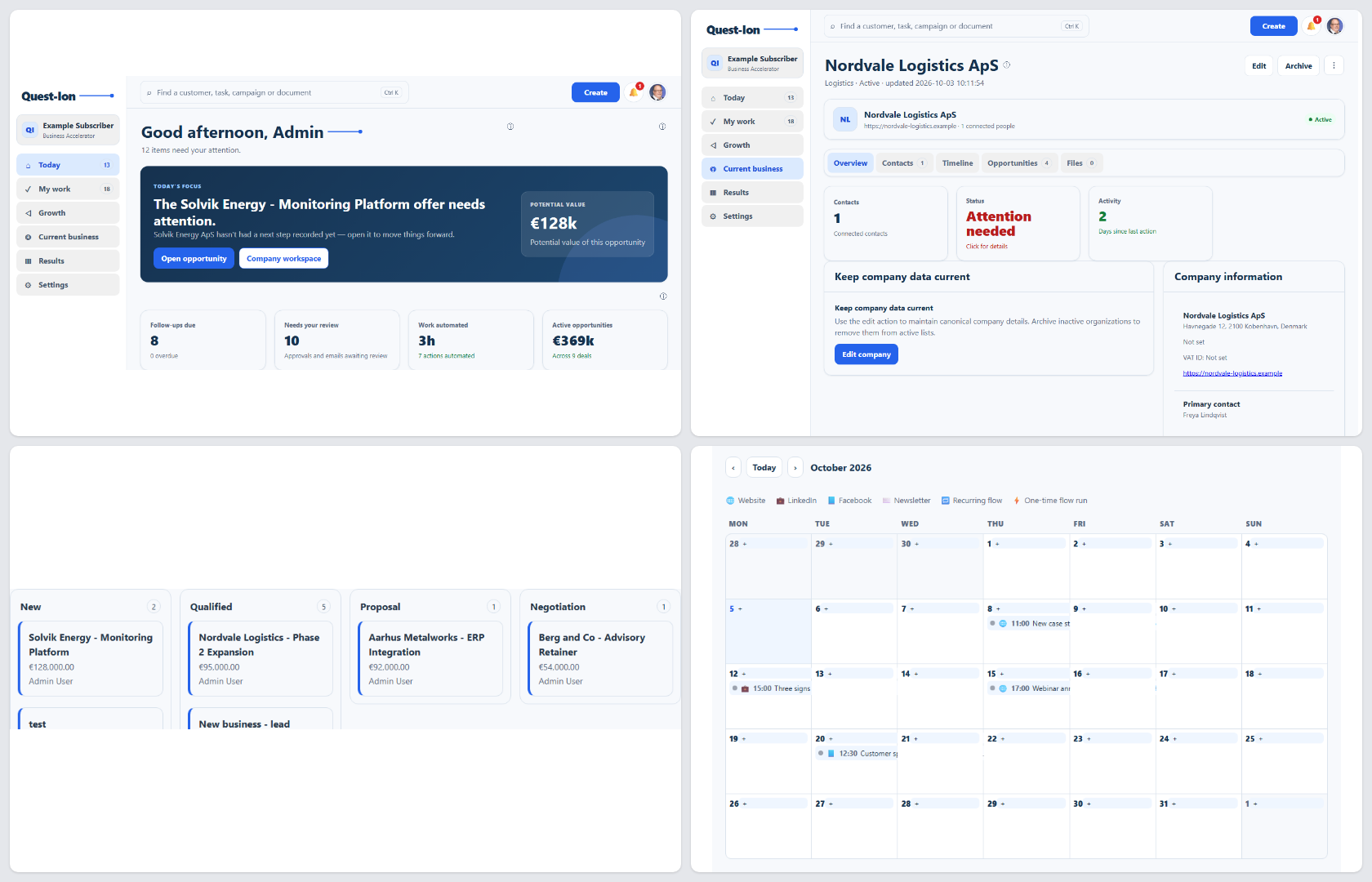
Today and Work
Focus items, tasks, email and calendar.
Customers
Companies, contacts, timelines and imports.
Sales
Stages, health, priority and proposals.
Marketing
Content, approvals, calendar and lists.
Automation
Funnels and flows from reusable templates.
AI and knowledge
Drafts and recommendations from your context.
Results
Pipeline, revenue and marketing performance.
Settings
Workspace, team, email, billing and templates.
AI with people in control
AI prepares. You decide.
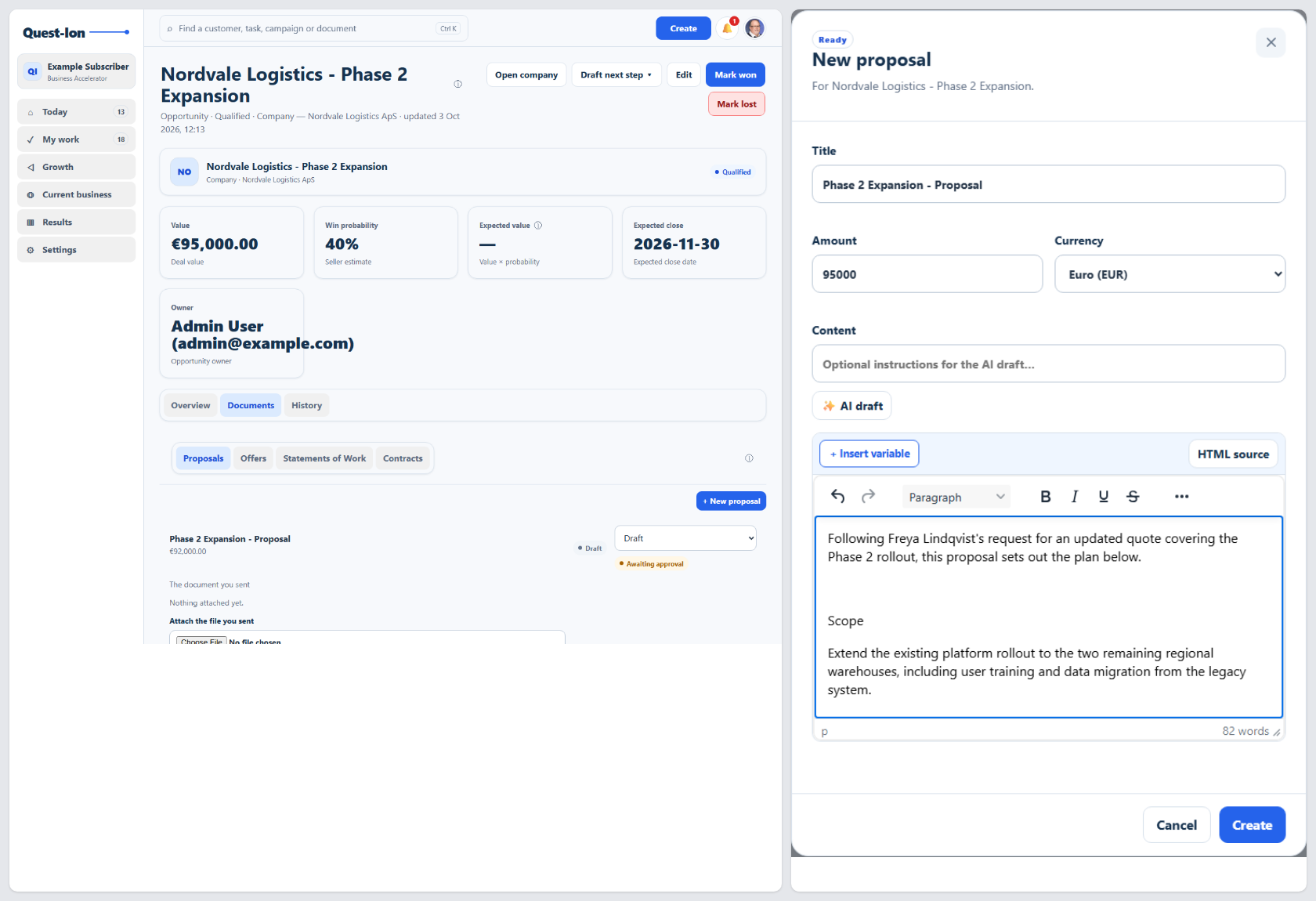
AI-assisted drafting writes proposals, replies and marketing content from the opportunity and customer context. You see the draft next to what it was based on, edit it, and approve it before it is used.
How much waits for approval depends on how you configure your funnels and flows. AI can be wrong, so review stays with a person.
Connects to how you already work
Each connection has one purpose and one direction. QI does not move everything everywhere.
Into QI → lead capture
Your website
- Website forms and the public API send leads and subscription sign-ups to QI.
- The WordPress plugin connects a WordPress site for lead capture and tracking.
Both ways ↔ email
Your mail host
- Connect your own mail host so QI can send and receive email for your customer work.
- Recipients can unsubscribe and manage preferences through links in the email.
Out of QI → publishing
Your channels
- Publish approved content to LinkedIn and Facebook.
- The WordPress plugin can publish content to a WordPress site.
| Integration | What moves | Direction | Availability | Setup |
|---|---|---|---|---|
| Website forms and public API | Leads and subscription sign-ups | Into QI | Available | A website access key |
| WordPress plugin | Leads and tracking; published content | Into QI, and out of QI for content | Available | Install the plugin and connect it to your workspace |
| Mail host | Email you send and receive | Both ways | Available | Connect your mail host |
| Published content | Out of QI | Available | Connect your account or page | |
| Published content | Out of QI | Available | Connect your account or page |
Getting started and getting help
What you provide
Your business information, currency and time zone, the pipeline stages you sell through, and your mail host if you want to send from your own domain.
What setup involves
You configure funnels, flows, templates and your team in the workspace settings. A guided wizard can suggest settings, funnel ideas and email content for you to review.
After you subscribe
Payment is taken on Stripe Checkout. Your account is created when payment is confirmed, and sign-in details arrive by email.
Questions about fit, setup or data handling? Contact us. Terms
See it working for your business
Subscribe when you are ready, or ask us a question first.